


SC300i swing monitor is a great value. It is very easy to use straight from the box, and its portability allows for use on the driving range (and on the course). The spoken yardage reading is a nice bonus. It has many features (especially combined with using the app) that are typically found with much more expensive monitors. Overall, an exceptional value, offering a chance for game improvement without spending a large amount of money.
Swing Caddie SC300i Portable Golf Launch Monitor
$399.99
/
Add to Cart For 20% OFF


Description
The Swing Caddie SC300i is a portable and precise golf launch monitor designed to provide golfers with professional-level swing and ball flight data. With advanced technology and user-friendly features, it enhances practice sessions both on and off the course.
- Comprehensive Metrics: Provides swing and ball flight data, including launch angle and apex, found in professional-grade monitors.
- Advanced Precision: Utilizes Doppler radar technology and calibrated atmospheric pressure sensors for accurate results.
- Bluetooth Connectivity: Syncs with your phone or tablet for real-time, integrated data tracking.
- Voice Output: Announces distance for added convenience.
- User-Friendly Design: Instant feedback on the LCD display, adjustable loft angles, compatible apps (iOS & Android) for detailed shot data and club statistics
- Standalone Functionality: Operates without the app if preferred.
Product information
| Dimensions | 6.5" x 4.7" x 1.1" (inches) |
|---|---|
| Weight | 15.4 oz |
| Frequency | K Band 24 GHz |
| Sensor Type | Doppler Radar |
| Battery | Lithium-Polymer |
| Battery Life | up to 20 hours (depending on conditions) |
| Accuracy |
± 2% ball speed ± 3 yards carry distance in target mode ± 3% carry distance in practice mode |
| Operating Temperature | 32 ° F ~ 122 ° F |
| Placement | 5 ft behind the ball on the same level as the ball |
| Measuring Range | 10 yds ~ 370 yds |
VC Manager Software Download
- SC300i Launch Monitor Device
- Remote
- USB Cable
- USB Cover
- User Manual
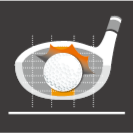
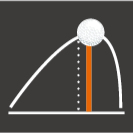
6 Key Data Parameters
Provide golfers of all skill levels with core data to help them improve their game





Convenience & Portability

1. Easy Setup
Position the SC300i golf launch monitor at least 5 feet behind the ball on the same level as the golf ball

2. Easy Charging
- Rechargeable Lithium Polymer Battery
- USB-C type cable
- 20 minutes of charging provides 1 hour of use
- Battery life up to 20 hours

3. Easy Practice
- Control the launch monitor using the included remote control
- Check your data on a 5.3" LCD monitor with voice output
- View stats on your mobile phone or tablet through a Bluetooth connection
FAQ
Is the SC300i compatible with E6?
No. The SC300i does not work with E6 Connect.
Does the SC300i work with other simulator apps?
No. The SC300i does not work other simulator apps.
Why is the SC300i not detecting my swings?
Please make sure that unit is setup appropriately, in the correct mode and that a real golf ball is being used.
If unit is still not detecting swings, please perform a factory reset on the unit.
Does the SC300i work with all ball types?
No. Using training or other colored golf balls can cause inaccurate readings.
How to add and select clubs?
Go to menu in the app, and to My Bag. From there you can edit the clubs being used.
Why is the SC300i giving inaccurate distances?
Please make sure that unit is setup appropriately, in the correct mode and that a real golf ball is being used.
Also make sure you selected the correct clubs, check that you are either in Carry or Total mode, and that the correct unit of measurement was selected.
If still inaccurate, please perform a factory reset on the unit.
How do you update the SC300i?
Through the MSC app on Mobile or the VCM app on Windows/MacOS
Customer Reviews
Overall rating: 4.6 / 5 from 151 reviews.
I only got to use it one time because I live in Palm Springs, Ca where it 115 degrees daily. I will use it during our season starting in October. I golf at least twice a week during the season.
Tried it out on the driving range and within a few shots I got the hang of it and was getting good data on my shots. For the money it is a very good device to get some meaningful numbers about your golf swing.
Very happy with it! Does exactly what I wanted it for - to see how my swing changes affect the shot.
Accurate and efficient
Very accurate to my numbers on trackman. Highly recommend for the player trying to improve there game
Arrived promptly. Easy to set up & use. Best feature: no phone app necessary
Easy to set up and use. Great value.
Very easy to use, easy to set up and awesome information to use in helping to improve the effectiveness in my game! This analytics tool help to identify a problem in my swing, which lead to a private lesson (for some guidance) and I’m seeing great results on the course after just one round of golf!
Very easy to use with great info.

This unit is awesome. A lot of information to digest while your practicing if you want it.
Works well Easy to set up
Impressed with the accuracy! Very easy to set up. Five Stars.
So far it has been great. Exactly what my son needed to work on his game. Works well inside and outside.
Have never used a launch monitor prior to getting this one. I did a lot of research and I am glad I chose the Voice Caddie SC300i; it's simple to set up and doesn't require a subscription. I wish I had purchased this long ago.
I liked packaging, feel and looks. Display is easy to see while standing. I havent set net for real balls yes but was pleased to see that I could determine swing speed with out ball. I will save a bunch after I am done grooming swing and determining swing carry. Was a great price for a long standing product that provides the basic need to know info..
Great training tool. As good as all the reviews said.
I really enjoy my swing caddie! I got to spend Christmas dialing in my driver after a recent lesson and work on my swing speed which is a great feature of this as well. Not to mention it was on sale! Great experience and tool.
Have never used a launch monitor prior to getting this one. I did a lot of research and I am glad I chose the Voice Caddie SC300i; it's simple to set up and doesn't require a subscription. I wish I had purchased this long ago.

Very easy to use. Works great
I received the sc300i a couple of weeks ago. The unit is substantial in structure not very heavy so easy to transport, will easily fet in a golf bag if needed. The display is bright and the numbers are very clear. The voice is excellent. Unfortunately I injured my knee and am not able to use the unit for a while until I heal. I also checked the app which loaded and paired quickly. There were no problems and as advertised the spin rate does show in the application
Works great, easy to take to the range.
Accurate great display. Great price.
I bought the Swing Caddie SC 300i launch monitor on black Friday for a great price. I won’t get a chance to use it until spring because I live in the northeast. I will update after I get to use it, very excited to see how it helps my golf game. Thanks, Doug
Launch monitor is excellent. Only problem was that there was another item included with my order that wasn't in the first delivery- I sent an email about this and never received a response.
Great tool for dialing in your club distances and knowing your swing speed. SC300i lives in my golf bag now.
Perfect gadget for golfers to analyze their shots. Very helpful equipment. Reviewing offline stats on the app is nice feature.
Ready to go right out of the box. Simple, accurate and money well spent
Does the SC300i have the same ability to measure swing speed without a ball that SC200Plus has (i.e., for speed training)? I get conflicting info from different sources on this question. Thanks.
Great results and everything I expected.
Easy to use. Love that I can use the remote to change clubs.

I've only used my swing caddie launch monitor a dozen times or so to date, but everytime I break it out I'm extremely impressed with the accuracy it provides. My backyard setup currently involves a driving range mat and net to hit into, so the only missing piece was an item that would provide some details on distance, speed, etc. By no means am I a high level player. Think the lowest handicap I've ever achieved is in the 6-7 range. But with that said, I know when I've struck it solid, hit it fat, or off of the heel/toe. My net really only accommodates 8 iron through 4 iron comfortably but each time I'm struck with how well it gaps my yardages and understands a good strike versus a poor one. Anytime I chunk a 7 iron it immediately responds with a yardage in the 130-140 range and each time I groove it, it dependably returns a range somewhere between 165-175, my usual yardage (albeit a bit on my higher end, but who doesn't hit it perfect in the backyard vs on the course). I've used launch monitors before where the yardage and corresponding speeds are ALL OVER THE PLACE from swing to swing. 20 yard swings from shot to shot on swings that otherwise felt exactly the same. So to be honest, after receiving the swing caddie as a gift, I was a little skeptical about how well it would perform and how accurate it would be. Was looking at buying a launch monitor myself but was sort of in the research stage trying to determine what would be the best option. Boy am I glad not only was this decision made for me, but also this was the product I was given. So very happy with the Swing Caddie SC300i and couldn't recommend it more to anyone searching for something reliable and accurate.
Great product really helped me understand how far I am actually hitting my clubs.
I was given a SC300, wanted to ask can I connect it somehow to use it as a golf simulator. And secondly my daughter is 7 and it doesn't pick her shots up
Works as advertised.
I love it! It’s easy and accurate!
Pretty cool device. Provides you with a lot of helpful information. This tool will definitely help improve your game. The price is very affordable.

see app image “distance” is misspelled overall excellent product distances seem doubtful on some driver swings
Just got this on Amazon as Prime Day special. Set it up initially with net at home. Not so accurate with short irons (56, AW, PW), but 9 and up it is accurate. Some issues with picking up the ball when using net. However, the range is a different story. Completely accurate and no issue picking up shots (even complete miss hits). Distance was spot on for all clubs. Using it for speed feedback. It works well. I've used it almost every day since picking it up and it is still on 1st charge.
Such a simple to use device for tracking each of your club performance as well as growth over time. Switching from one club to the other is made very simple using the included remote. The addition of the remote is actually part of what makes this unit a joy to use. Swing data is given very quickly and seems to be pretty reliable. Great device for the price.


