Swing Caddie SC4 PRO Golf Launch Monitor/Driving Range Simulator with Alignment Stand
Launch Monitor + 3D Driving Range Simulator
$599.99/
4.4
Description
The Swing Caddie SC4 Pro by Voice Caddie is a complete simulator and a portable golf launch monitor. For use indoors and outdoors, the SC4 Pro delivers professional-grade swing and ball flight metrics. In simulator mode, the SC4 Pro connects with the included VoiceCaddie S app, providing a complete virtual display with metrics and stats.
To further enhance the simulator experience, the Swing Caddie SC4 Pro is fully compatible with E6 Connect / Optishot Orion and its suite of photorealistic courses (optional subscription). For outdoor use, the SC4 Pro golf launch monitor can be used as a standalone unit (no smartphone required) with its vivid display featuring carry distance, launch direction, swing speed, ball speed, smash factor, launch angle, apex, and spin rate.
For a more advanced experience, the SC4 Pro connects directly to a smartphone or tablet via Bluetooth allowing golfers to save their tracked data, record their swings, and produce swing overlays. The remote control, voice output of distance, and rechargeable Lithium Ion battery ensure the highest level of experience and convenience.
Product information
Shipping Policy
Delivery Lead Time (Within the U.S.):
FREE Ground Shipping (5 - 8 business days) on all products, except accessories (Excludes Hawaii and Alaska)
UPS 3-Day Select: 3 business days
UPS 2nd Day: 2 business days
UPS Next Day: 1 business day
Shipping Cut-Off Times:
Monday – Friday: 3 PM (Orders placed after 3 PM will be processed the following business day)
No shipping on weekends: Orders placed after 3 PM on Fridays will be processed the following Monday.
Important Information:
Delivery times reflect the actual travel time of your package.
We primarily use USPS or UPS for domestic shipments. For specific shipping requests or additional details, please feel free to contact us at support@voicecaddie.com.
Delivery times may vary based on order quantity and shipping method preferences.
To prevent delays, please ensure your shipping address and phone number are correct when placing your order.
Voice Caddie does not offer gift-wrapping services. We apologize for any inconvenience.
While we strive for timely delivery, we cannot guarantee specific delivery dates.
All shipments are insured. If your package arrives damaged, please contact your local post office or Voice Caddie for assistance.
International Orders: Customers are responsible for any applicable duties and taxes.
Refund/Exchange Policy
We want you to be completely satisfied with your purchase. If you need to return or exchange an item, please follow these guidelines:
Requesting an RMA: Email us at rma@voicecaddie.com to obtain a Return Merchandise Authorization (RMA) number before returning any merchandise. Clearly mark the RMA number on the outside of your package.
Return Address:
Voice Caddie Attn: RMA Department RMA Number: (insert your RMA number here) 6940 Aragon Circle Suite 6 Buena Park, CA 90620
Eligibility for Refund/Exchange:
Items must be returned within 30 days of the original purchase date.
Products must be in their original condition, with all packaging, accessories, and documentation included.
Refunds or exchanges are available only for items purchased directly from Voice Caddie. For products purchased from other retailers, please refer to their return/exchange policies.
Initiating an Exchange:
Contact our support team at support@voicecaddie.com with your order number and details of the item you'd like to exchange. We will provide instructions on how to return the item.
Processing Time:
Once we receive the returned item, please allow 7-10 business days for processing.
We will notify you via email once your refund/exchange has been completed and the replacement item has been shipped.
Important Information:
Items returned for exchange that are not in their original condition (e.g., damaged or missing parts) may incur additional fees or may be refused.
We cannot guarantee stock availability for exchange requests. If the requested item is out of stock, we will contact you to discuss alternatives.
International Exchanges:
For international customers, any duties, taxes, or additional shipping fees associated with exchanges are the customer’s responsibility.
If you have any questions regarding our refund/exchange policy, please email us at support@voicecaddie.com. We’re here to help!
One Year Limited Warranty
Voice Caddie warrants hardware products against defects in materials and workmanship for a period of one year from the date of original purchase.
If a defect exists, Voice Caddie will (1)repair the product (2)exchange the product with a product that is new or like-new and is at least functionally equivalent to the original product (3)refund the purchase price of the product. Voice Caddie shall have no obligation to repair, replace or refund until the customer returns the defective product to Voice Caddie
This warranty does not apply : (1)to damage caused by accident, abuse, misuse, misapplication, or non-Voice Caddie products (2)to damage caused by service performed by anyone who is not a Voice Caddie Authorized Service Provider (3)to a product or part that has been modified without the written permission of Voice Caddie.
For more information on Voice Caddie’s warranty and return policy, email support@voicecaddie.com.
Dimensions
4.88" x 7.59" x 1.14" (inches)
Weight
20.79 oz
Frequency
K Band 24 GHz
Sensor Type
Doppler Radar
Battery
Lithium-ion Rechargeable Battery 7,500 mAh
Battery Life
10 hours (depending on conditions)
Charge Time
6 hours (from drained battery)
Operating Temperature
32° F ~ 122° F
Placement
5 ft behind the ball on the same level as the ball
Measure the distance your ball travels through the air (carry) and the combined distance it travels in the air and rolls upon landing (total). Understand how far your shots travel to fine-tune your club selection and course strategy.
Swing Speed
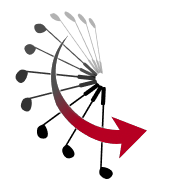
Capture the speed of your clubhead as it moves through the swing. Analyze your swing speed to optimize your technique, increase distance, and achieve more consistent ball striking.
Ball Speed
Determine the speed of the golf ball as it leaves the clubface. Ball speed directly correlates with distance, making it a crucial metric for evaluating the efficiency and power of your shots.
Smash Factor
Evaluate the efficiency of your impact by calculating the ratio of ball speed to clubhead speed. A higher smash factor indicates more efficient energy transfer, resulting in longer and more accurate shots.
Apex (Max Height)
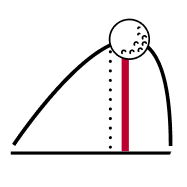
Identify the highest point reached by your ball during its flight. Understanding the apex of your shots helps in shaping trajectories and controlling ball flight to navigate various course conditions.
Launch Angle
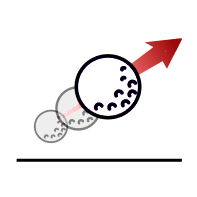
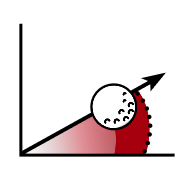
Measure the angle at which the ball takes off from the clubface relative to the ground. Adjusting launch angle can significantly affect distance, trajectory, and overall shot performance.
Launch Direction
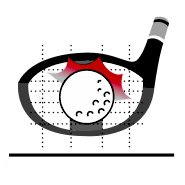
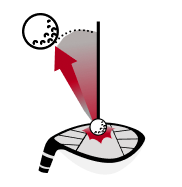
Assess the direction in which your ball starts its flight path from the clubface. This allows you to adjust your setup and swing to optimize your shot shape and accuracy.
Spin Rate
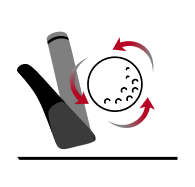
Analyze the rate of spin applied to the ball during flight. Spin rate influences ball flight characteristics such as distance, trajectory, and control, providing valuable feedback for optimizing your game.
For Every Golfer
Take your golf game anywhere. The Voice Caddie SC4 Pro's lightweight and compact design ensures convenience without compromising on performance, making it the perfect companion for practice sessions at the range or even on the course.
Simply connect the Swing Caddie SC4 Pro golf launch monitor to your preferred device via Bluetooth, and you're ready to start tracking your shots within minutes. Spend more time practicing and less time configuring.
Experience real-time feedback with the Voice Caddie SC4 Pro's voice output feature. Receive instant, spoken data readings for each shot, eliminating the need to constantly check screens or devices.
The Swing Caddie SC4 Pro comes equipped with a built-in remote control magnetically attached to the back of the golf launch monitor. Customize club settings and targets with ease.
More advanced app services utilizing
MySwingCaddie S
VoiceCaddie S (VCS) App
Compatible with both Apple and Android devices, the VoiceCaddie S app integrates with the SC4 Pro and is readily accessible and completely free to use. Access real-time data, analysis, and practice tools anytime, anywhere.
Detailed Shot Analysis
VCS guides you through key metrics, including distance and smash factor, delivering invaluable feedback to refine your performance. It also offers daily and cumulative statistical services, alongside real-time shot graphs, giving you the data you need to track progress and make informed adjustments to your game.
Perfect Shot!
In practice mode, you can auto-record your swings and synchronize the data with your swing videos to help improve your form and technique. You can also save your video and share it on your social media.
Complete At Home Range Simulator
SC4 Pro x E6 Connect Ready Out of the Box
available on iOS and PC
Complimentary E6 Connect
5 Course
+
1 Driving Range
What simulator program does the SC4 Pro work with?
It compatible with E6 Connect.
How do you properly setup the SC4 Pro launch monitor?
Unit will need to be level the base of the golf launch monitor with the top of the hitting surface.
Approximately 5 feet behind the ball in line with the flight of the ball.
The ball should be in line up with the red mark on the top of unit.
If hitting into a screen or net, we recommend 10 FT from the ball to the net/screen.
What free E6 courses come with the SC4 Pro?
Aviara Golf Club & Resort
Bandon Dunes
Stone Canyon Club
Sanctuary
Wade Hampton Golf Club
Does the SC4 Pro work with all ball types?
No. The golf launch monitor is not designed to assess non-standard golf balls.
How Long Is The Battery Life Of The SC4 Pro?
The approximate battery life is 10 hours.
How do you update the SC4 Pro?
You can either use the mobile app or the VC Manager on your PC/Mac
Customer Reviews
Overall rating: 4.4 / 5 from 215 reviews.
Getting started took a moment.
Would have been quicker had I thoroughly read the instructions (loaded the wrong App and was frustrated). Called the support line and got it dialed in quickly.
Once on the range I learned quite a bit about my game. I had an idea of how far I was hitting the ball with each club, but didn't have a clear picture of how far I was carrying it versus total distance. (Love the small remote that let's me select the club I'm using) This has improved my club selection on the course. I've had a few exceptional rounds since my purchase.
I benefit from going home after a range session and seeing what each shot looked like on the virtual driving range. Identified a right bias and have made adjustments. Now I'm more precise with my irons.
Looking forward to my range session tonight to prepare for the weekend.
Works really well as a stand alone monitor both indoors and outdoors.
Very cool I can use the E6 connect for the golf courses. I run a usb cable from phone to a55” tv for a large picture. When using the range I do seem to pull everything but can adjust for that.
I’ve been using the Swing Caddie SC4 Pro Golf during my practice sessions, and the feedback is top-notch. The accuracy helps me break down my swing data effectively, leading to real improvements on the course. Highly recommended!
Easy to use so far. Like the range and stats in the app that I can export and build a database of the sessions and dial in my club carry, distance, etc.
Very cool device. Super easy to setup and use. Seems like Quality, quality,!!! Has all the information I need to help me on the practice tee. The voice is a perfect asset and you can minimize the volume to the point that other players really can’t hear it. I’m very satisfied!
I am really enjoying the Voice Caddie SC4-Pro launch monitor. It is simple to use, gives very clear data and is very portable. I mainly use it on the driving range as I am working through my bag. When the course is empty I like to use it on the tee boxes as well. Helps me take my driving range game to the actual course.
Quick and easy to setup, remote control is useful and the app is okay but could use updates. I've been using the monitor for a month in the Vegas heat with no issues so far. The carry distance numbers seem a little higher than what AI generated with the same data. Maybe, the VC Caddie C4 pro is adjusting for atmospheric pressure.
All in all, the launch monitor is helping me to figure out my rough distances along with dialing in launch angle and ball spin. Very happy with the product.
Happy Golfing!
Mike
Works great! Are use it to monitor and check my distances with my clubs I’ve tried it and on the driving range and it is very accurate. I enjoy the use of you very much I’ve only had one issue and that was when I was trying to use it with the EC
Just getting started with it, but I love access to the variety of statistics it provides. I expect it to really help me improve. This tool makes practice fun.
Straightforward, easy to use. Great value.
Voice Caddy support was polite and responsive to a pricing question.
Only quibble is I wish the app was more user friendly. The text is small, impossible to read, and can’t be enlarged.